
Ecommerce AdsEnglish
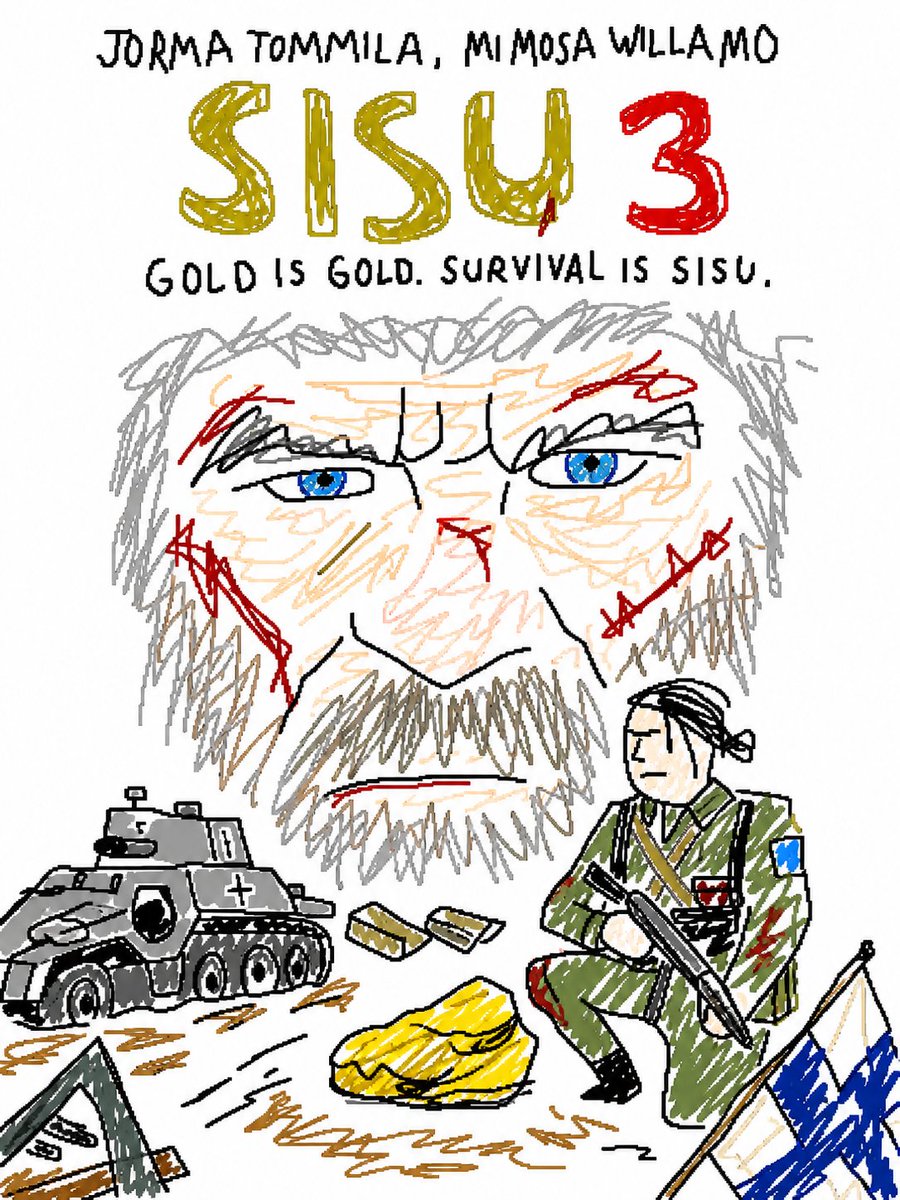
MS Paint 风格重绘
此提示词可将现有图像重绘为刻意粗糙、涂鸦式的 MS Paint 风格,非常适合制作幽默或模因(meme)风格的对比图。
This product prompt is a strong starting point when you need a composed GPT Image 2 result with a clear subject, visual structure, and reusable style direction.
Aspect ratio
1:1 or 4:5
Quality pass
Standard first, then high detail
Workflow
Start text-to-image, then rerun with one focused edit at a time.
Full GPT Image 2 prompt
English
Redraw the attached image in the most clumsy, scribbly, and utterly pathetic way possible. Use a white background, and make it look like it was drawn in MS Paint with a mouse. It should be vaguely similar but also not really, kind of matching but also off in a confusing, awkward way, with that low-quality pixel-by-pixel feel that really emphasizes how ridiculously bad it is. Actually, you know what, whatever, just draw it however you want.
English
将附带的图像以尽可能笨拙、潦草且极其拙劣的方式重绘。使用白色背景,并使其看起来像是用鼠标在 MS Paint 中绘制的一样。它应该与原图有些许相似,但又不太像,既要勉强匹配,又要显得困惑且尴尬,并带有那种像素级的低质量感,以突显其荒谬的糟糕程度。其实,算了,随你怎么画都行。
Related GPT Image 2 prompts
Ecommerce Ads
充满活力的能量饮料广告
一个高能量的商业摄影提示词,展示了运动员与爆炸性灯光效果,适用于能量饮料广告。
Ecommerce Ads
复古德里印度门海报
生成一张复古风格的旅行海报,以德里印度门为主题,包含双语风格标签和地标介绍文字。
Ecommerce Ads
热腾腾的泡菜面外卖广告
为社交媒体外卖广告生成一张温馨的电影感韩式泡菜面外卖海报。
Ecommerce Ads
十二星座神兽扭蛋包装
生成一款虚构的日式扭蛋包装设计,包含六款豪华十二星座神兽手办,并附带标签、警告、价格及条形码细节。
Ecommerce Ads
动漫棒球对抗赛海报
生成一张极具戏剧性的动漫风格棒球对抗海报,画面包含两名身着队服的少女、蓝金分割的球场灯光、队徽以及日文体育标题文字。
Ecommerce Ads
日本市场概况 Slides
生成一张精美的日本咨询风格 Slides,包含市场增长柱状图、竞争定位矩阵、洞察框以及页脚导航。